Force Update
Note
This feature is required before going to Test Markets
In this guide we will learn how to setup the flow to make the users force update if a new version is available.
The first thing you need to do, is open the Progression Sheet (ask your game designer if you don’t have one yet), and in the TitleData tab, add the min_version (case sensitive). Also, if you don’t have it already, you need to add android_url and ios_url to the TitleData.
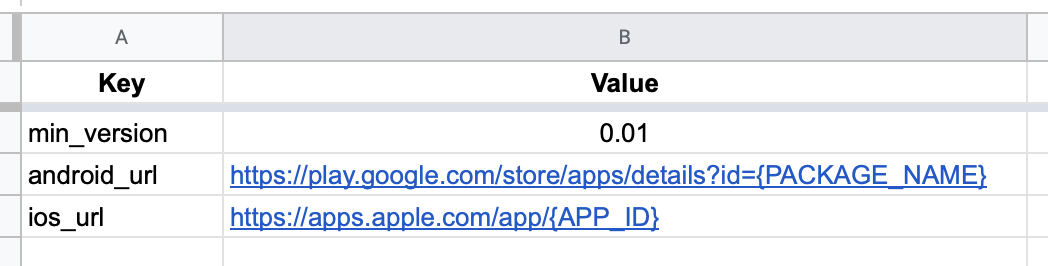
After this is changed, go to the admin tool and make sure the progression is pushed to the server.
Now in Unity, go to your Initialize scene, and add in a new PanelsManager & Object Pool to be able to handle this panel. If you don’t have a Loading Screen yet, make sure you follow the guide to implement it beforehand.
Warning
Make sure the PanelsManager has Id 10.
Once you have that in place, create a new prefab with the Force Update UI, and attach the ForceUpdateDialog.cs component to it. Make sure you bind the main button to the GoToStore method located in the script.
Now you should be good to go, and have a working Force Update flow in your game.