Shop
In this guide we will learn how to setup the items and offers in the shop.
The first thing you need to make sure, is that you are using the Bigfoot sdk version 1.10 or higher.
In the Dependency Manager ShopManager has to be loaded before any place where you want something to sell is enabled.
To start you need to know this system is grouped into placements, sections and items. A placement contains sections and a sections contains items. The Shop panel should be a placement, the badge offer would be another placement, and so. The spreadsheet configuration is pretty straightforward. The timers could be the only thing difficult to setup properly. This will be explained in Shop Timers page.
The next image will show an example of a shop panel with some sections and items.
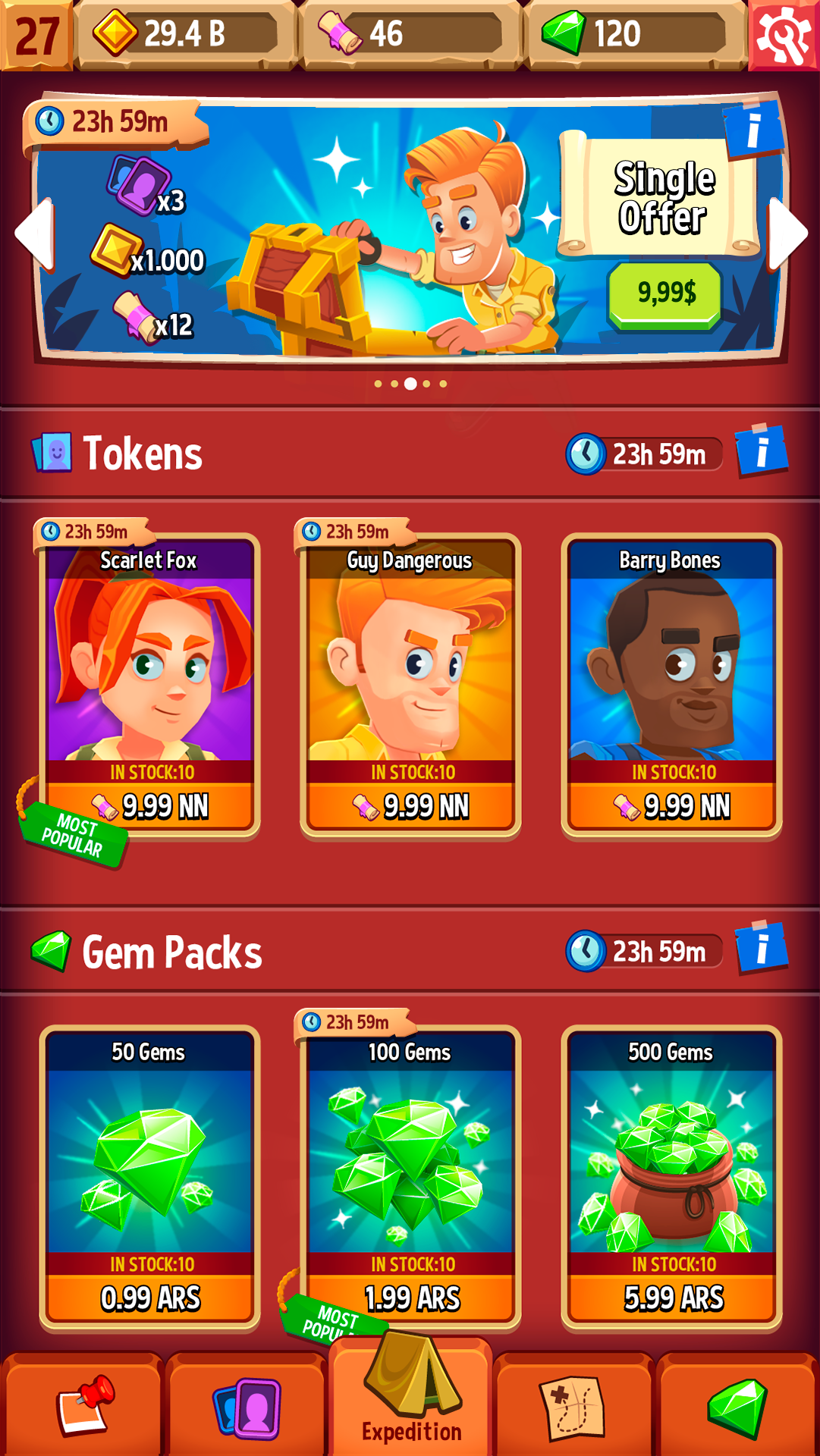
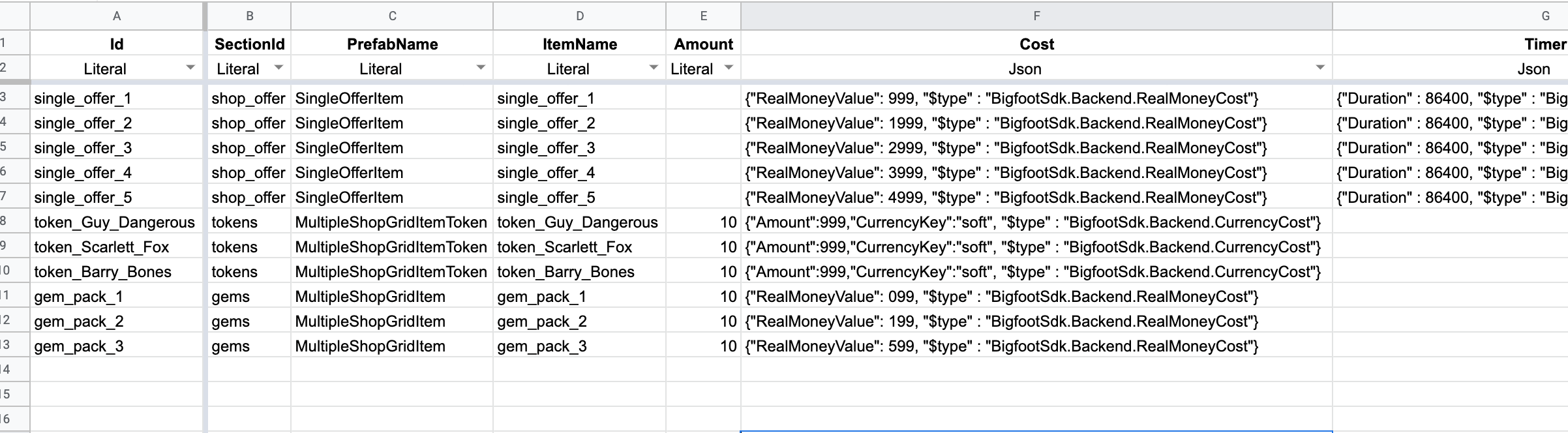
The example shows 3 sections: a single offer section, a section of tokens and a section of gems. The spreadsheet configuration for this is the following:
Shop items:
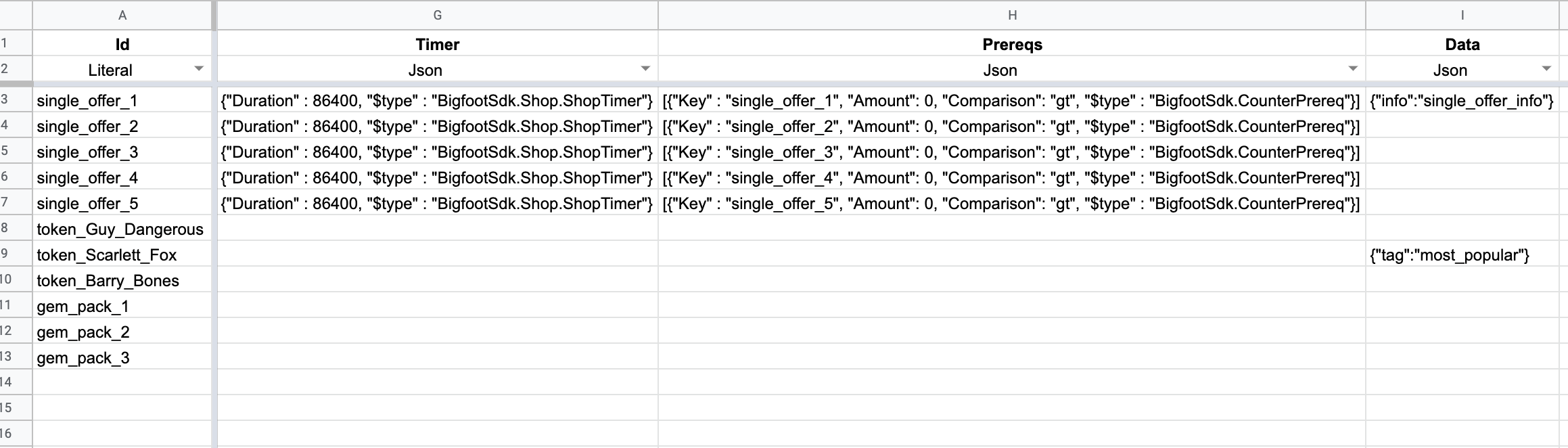
Shop sections:

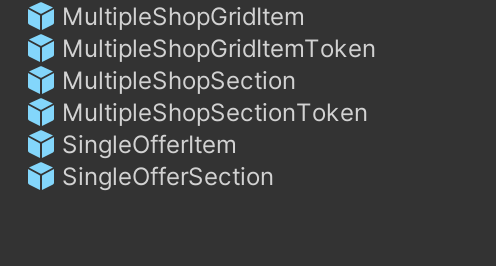
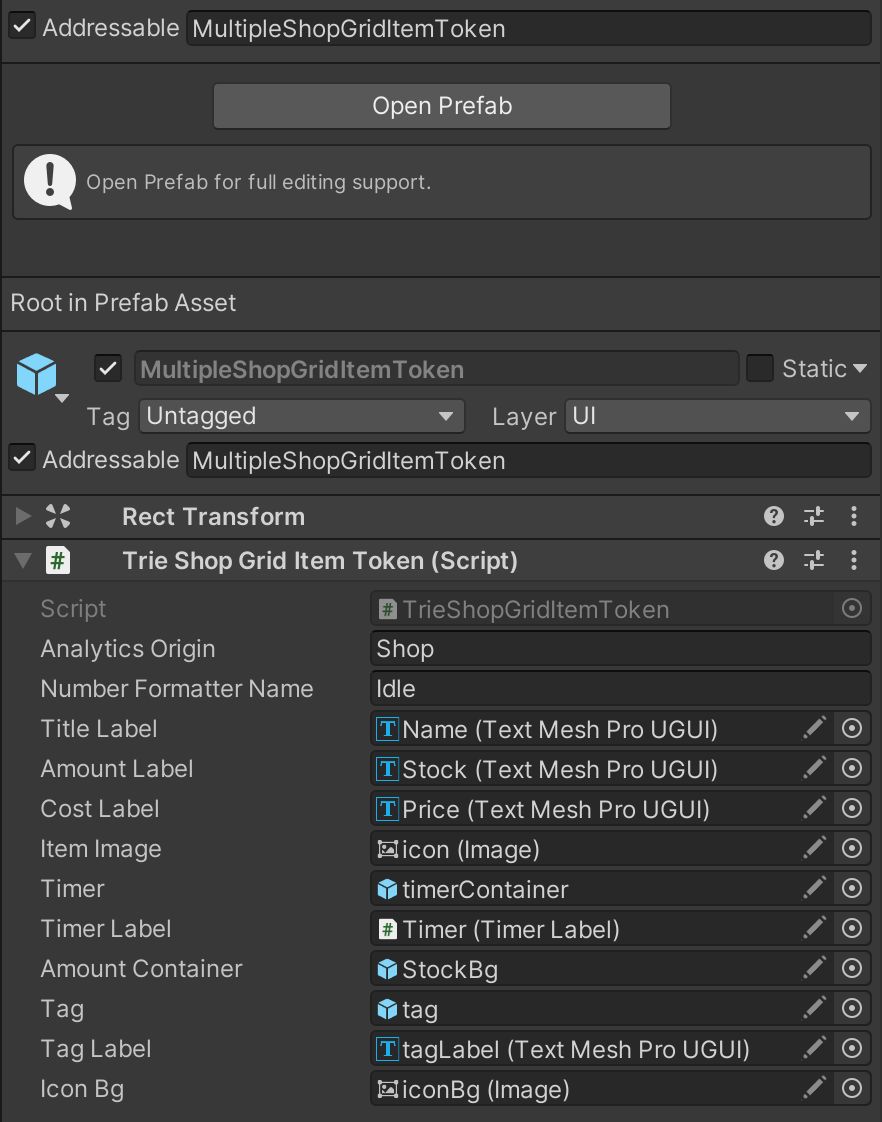
Then, in the project you have to create the necessary scripts and prefabs to support this configuration. The prefabs have to be Addressables. Every section prefab must have a ShopSection script and every item prefab must have a ShopGridItem script. You can extend the sdk functionality of this classes if you need.
Shop