Firebase AB Test
In this guide we will learn how to setup AB tests properly.
The first thing you need to make sure, is that AnalyticsManager is loaded before ServerPlayerLoader, and ServerPlayerLoader is loaded before ServerTitleLoader. This allows to track the initial user properties for users before getting Remote Config data and so Firebase is able to set the user in the proper audience.
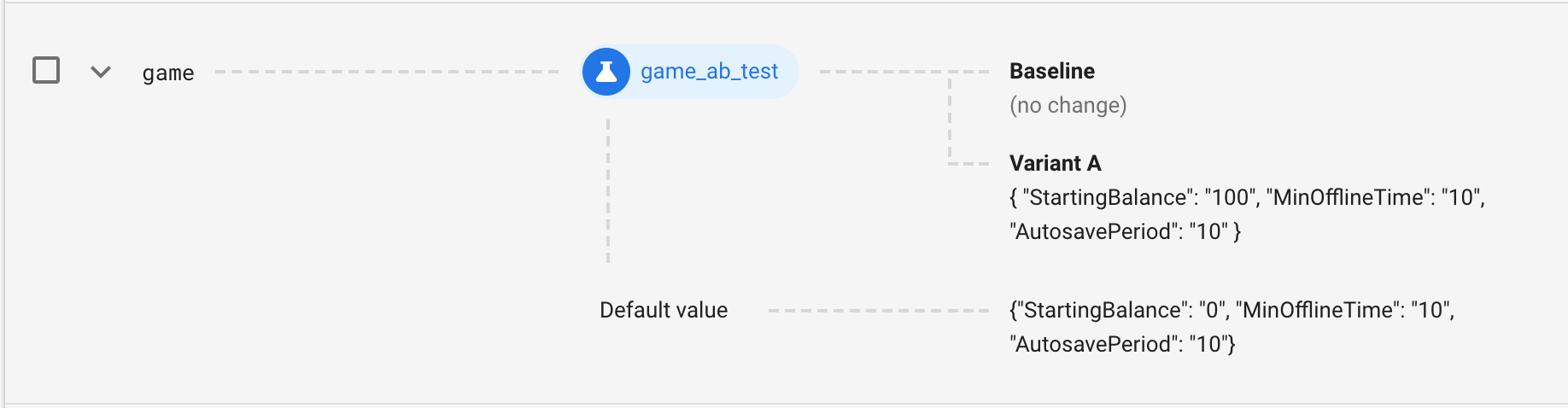
By default the Bigfoot SDK handles AB tests of already defined key-value pairs in Title Data. For example: We want to make an AB test of the starting balance amount of resources in our idle game. Then, we have to add the key game to Remote Config with its default value. You can do this adding the key-value pair to the RemoteConfig sheet or adding the key-value pair manually in Firebase Console.

Then you have to go to A/B Testing in Firebase Console and create a new experiment for Remote Config, setting the Targets, Goals and Variants.
If you want to make AB tests without using the existing key-value pairs in Title Data, you have to add the key-value pair also to the TitleData sheet. Then you have to add some code after the ServerTitleLoader finishes its loading, so you can handle the variant.
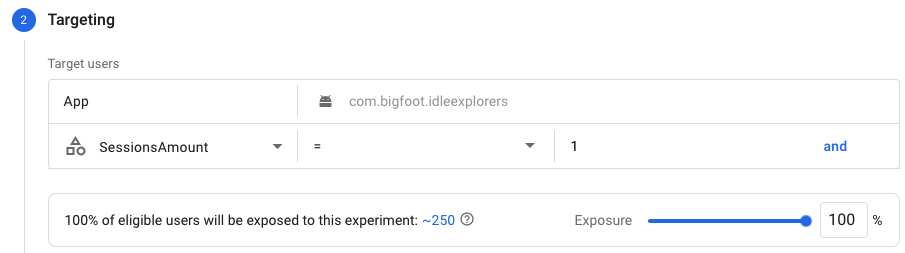
When you go to setup the AB Test in Firebase Console, you probably want to target only new users. Our SDK automatically tracks one user property that allows you to do this: SessionsAmount (it has to be defined in Custom Definitions in Firebase Console, to be avaliable). Example: