Mail System
The Mail system allows you to send messages, news and gifts to the user.
Note
The SDK doesn’t have any UI class, so you have to handle it as you prefer.
The first thing you need to do, is make sure that in the tab mails is properly set in your config spreadsheet (see example bellow).

In the example, the mail with id 1 would be a news. It has a url related to it.
The mail with id 2 would be a global gift, all users will be able to claim it once.
The mail with id 3 would be a message, it doesn’t have actions related to it.
The mail with id 4 would be an individual gift. Only users with the proper counter in its player data would get it. It can be got as many times as you want. The dafault counter key is gift.
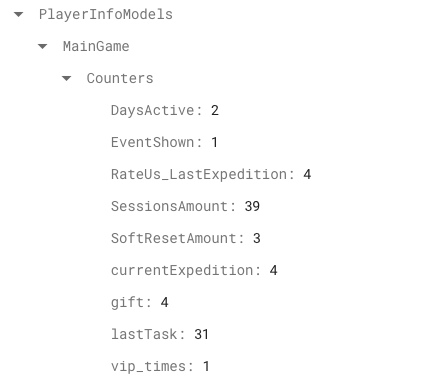
In the player data, will exist also a JSON field where you can see the history of gifts.
Note
Individual gifts shouldn’t be deleted from config spreadsheet, so you can keep track of history gifts of users.